Launch Offer - Save 50%
Upgrade

AI Image to Prompt Generator

Input Image

Click or drop an image
JPG, PNG, WebP - Max 10MB
170 words
BriefBalancedDetailed

Generated Prompt

Editable output

Your prompt will appear here
Upload an image or paste an image URL, then generate a prompt.

Free Tools

AI Image to Prompt Generator

Convert any reference image into a ready-to-use AI prompt for Midjourney, DALL-E, Stable Diffusion, Flux, or a general workflow.

Upload an image or paste an image URL. The analyzer reads the subject, style, composition, lighting, colors, and visual details, then turns them into a structured prompt you can copy, edit, and reuse.

Free to useJPG, PNG, WebPUpload or image URLEditable output
5
Prompt targets

General, Midjourney, DALL-E, Stable Diffusion, Flux

15
Languages

From English and Chinese to Portuguese and Indonesian

60-280
Words

Brief, balanced, or detailed prompt length

2
Input methods

Upload a local image or paste an image URL

Examples

Image to Prompt Examples

See how reference images are translated into descriptive prompts with subject, composition, lighting, style, and reusable tags.

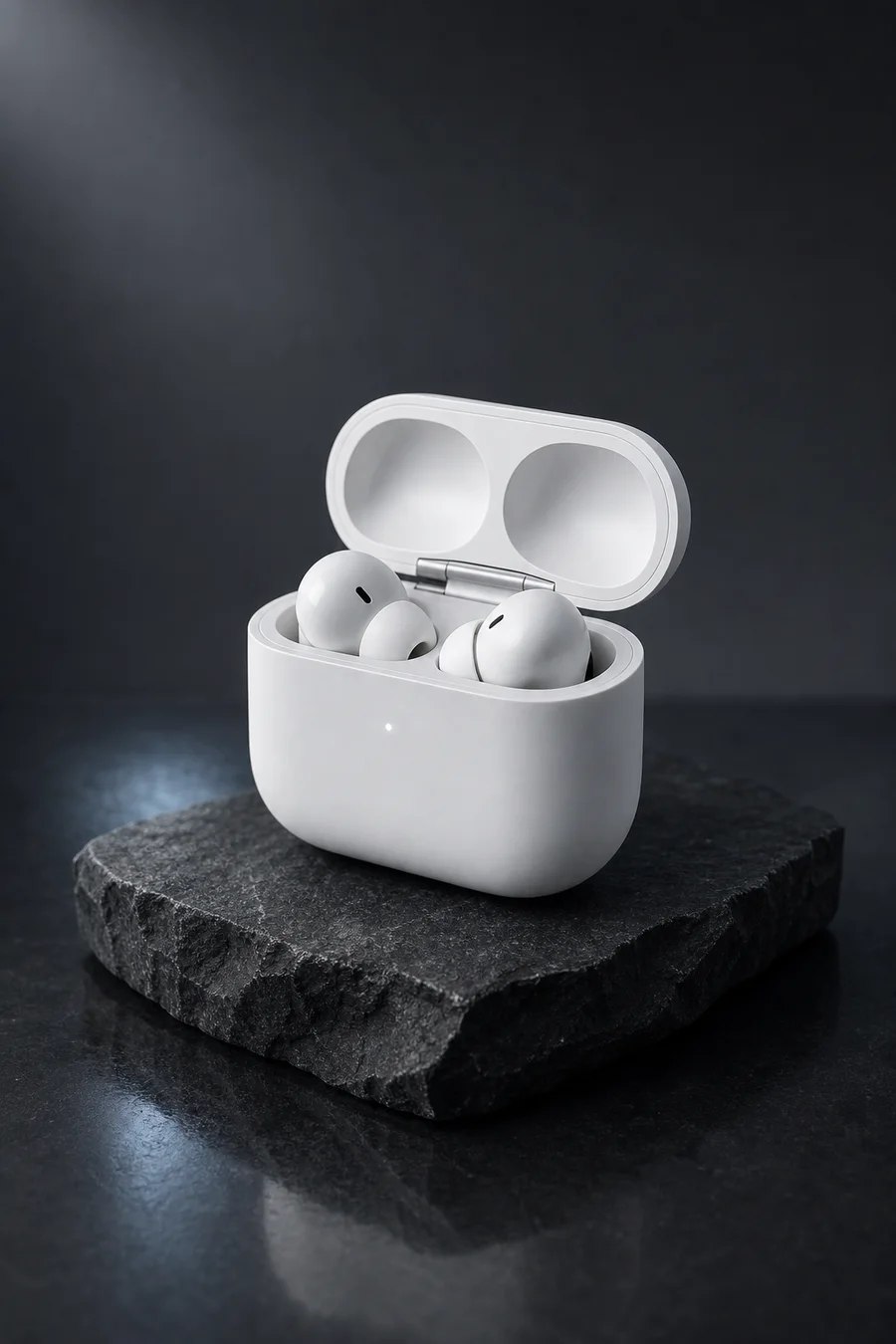
A matte white wireless earbud case displayed on a dark stone slab

Premium Product Shot

A photorealistic studio product shot of a matte white wireless earbud case with two earbuds resting inside, positioned on a rough dark stone slab. The product is centered in a vertical frame with a clean charcoal backdrop and subtle reflections on the glossy surface below. Softbox lighting from the upper left creates smooth highlights on the rounded plastic case, while a faint rim light separates the subject from the dark background. The image feels premium, minimal, and refined, with crisp product details and a cool commercial mood.

Ratio: 2:3Size: 900 x 1350
productearbudsstudio lightingminimalphotography
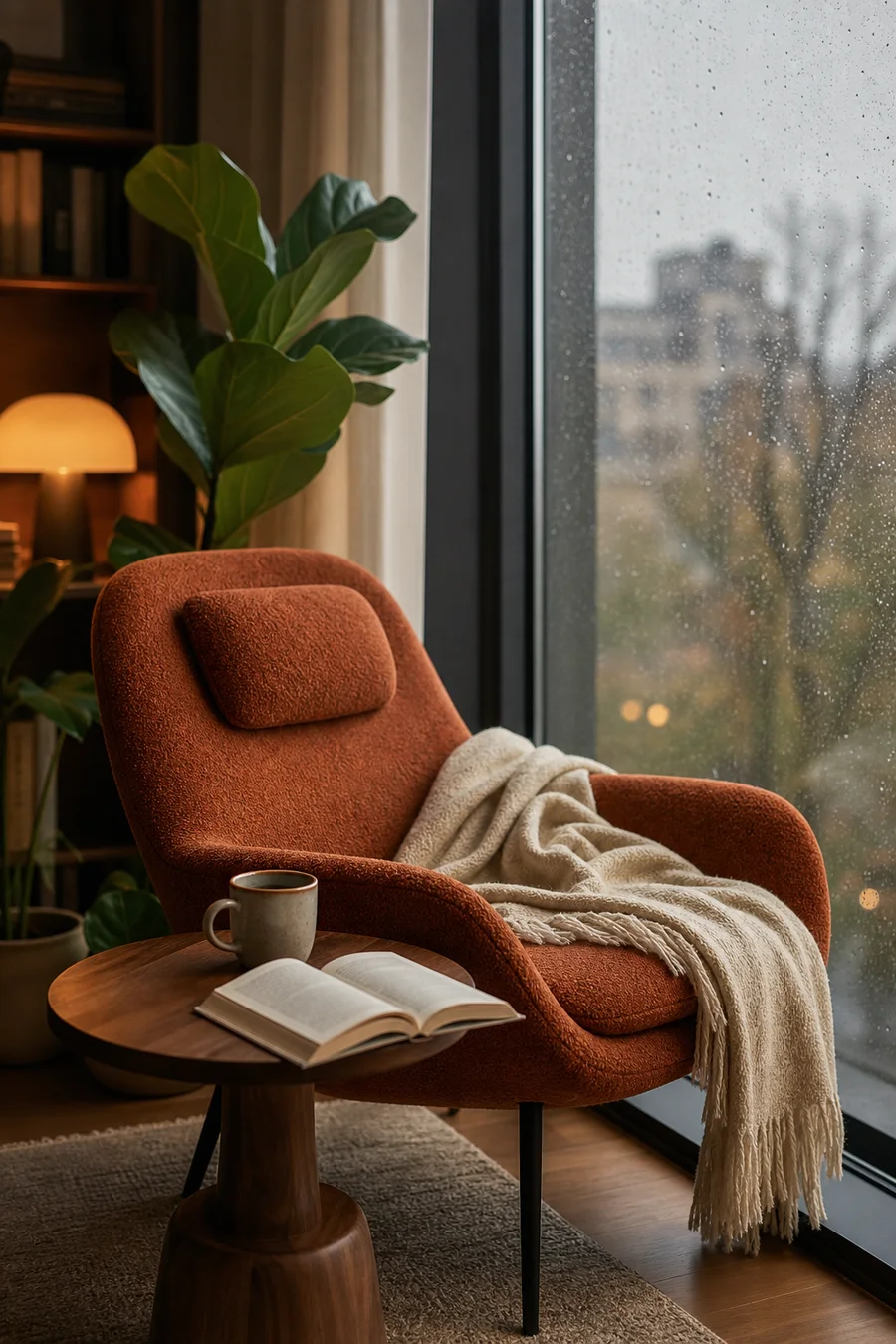
A cozy reading corner with a rust-colored chair beside a rainy window

Cozy Interior Scene

An editorial interior photograph of a cozy modern reading corner beside a large rain-speckled window. A rust-colored lounge chair sits slightly off-center with a cream throw blanket draped across it, while a small round walnut side table holds an open book and a ceramic mug in the foreground. Warm lamp light from the left blends with cool gray daylight from the rainy window, creating a calm and inviting atmosphere. The scene includes soft textiles, polished wood, green indoor plants, and a blurred city view outside for depth.

Ratio: 2:3Size: 900 x 1350
interiorreading cornerrainy windowlifestyleeditorial

Features

Generate better prompts from visual references

This tool extracts the visual ingredients that matter for AI image generation, including subject, style, lighting, composition, color, texture, and atmosphere.

Generate Prompts from Visual References

Convert photos, product shots, portraits, interiors, landscapes, and artwork into detailed prompts in seconds.

Optimized for Popular AI Models

Choose General, Midjourney, DALL-E, Stable Diffusion, or Flux, and get wording shaped for the model you plan to use.

Control the Scene and Style

Tell the generator whether the image is a portrait, landscape, product, artwork, or general scene so it focuses on the right details.

Adjustable Detail Level

Create a brief reference prompt, a balanced prompt for everyday use, or a detailed prompt with lighting, composition, and atmosphere.

Multilingual Output

Generate prompts in English, Chinese, Japanese, Korean, French, German, Spanish, Italian, Russian, Indonesian, Portuguese (Brazil), Hindi, Bengali, Arabic, and Turkish.

Editable, Copyable Output

Use the generated prompt as a starting point. Copy it, refine the wording, add keywords, or regenerate another version.

Workflow

How to use Image to Prompt

Start with a reference image, choose how the prompt should be shaped, and generate clean text for your favorite AI image tool.

  1. 01Upload an image or paste an image URL.
  2. 02Choose the output language.
  3. 03Select the prompt target model.
  4. 04Pick the scene or style type.
  5. 05Adjust the word count.
  6. 06Generate, copy, and use the prompt in your favorite AI image tool.

Use Cases

What you can use it for

Use image prompts for creative iteration, product visuals, style matching, and prompt library building.

Translate visual references into reusable prompts
Analyze visual composition and lighting
Create prompts for product photography
Turn reference images into Flux or Midjourney prompts
Describe portraits, landscapes, objects, and artwork
Build reusable prompt libraries
Help designers, creators, and marketers write better prompts faster

FAQ

Frequently Asked Questions

Everything important about Image to Prompt in one place.

1

What is an Image to Prompt generator?

It is an AI tool that analyzes an image and turns it into a text prompt. The prompt describes the subject, style, lighting, colors, composition, camera angle, and other important visual details.

2

Can I use the prompt in Midjourney, DALL-E, Stable Diffusion, or Flux?

Yes. Choose a prompt target before generating, and the tool will adjust the output style for the selected model.

3

What images work best?

Clear, high-quality images work best. Photos, portraits, product images, landscapes, illustrations, and digital artwork are all supported.

4

Can I change the language of the output?

Yes. You can generate prompts in multiple languages, including English, Chinese, Japanese, Korean, French, German, Spanish, Italian, Russian, Indonesian, Portuguese (Brazil), Hindi, Bengali, Arabic, and Turkish.

5

Can I edit the generated prompt?

Yes. The generated prompt is editable. You can copy it, modify the wording, add keywords, or regenerate another version.

6

Do uploaded images need to be hosted online?

No. Upload mode sends the selected file directly for prompt analysis, so you do not need to publish the image or create a public image URL. URL mode is available when your image is already online.

7

Is this tool free to use?

Yes. Image to Prompt is free to use, and generating a prompt does not consume credits. Upload an image or paste an image URL to start.

8

How long should the prompt be?

Short prompts are useful for quick inspiration. Balanced prompts work well for most image generators. Detailed prompts are better when you want more control over style, lighting, composition, and atmosphere.

9

How do I get the best results?

Use a clear, well-lit, high-quality image with the main subject visible. Avoid very blurry, dark, or heavily cropped images when you need an accurate prompt.

Copyright © 2026 Image-Fx AI & Image-Fx Labs
All rights reserved
ImageFX is your all-in-one creative platform for AI-powered image and video generation. We bring together the latest AI models in one intuitive interface, making professional-quality content creation accessible to everyone. From text-to-image to video generation, unleash your creativity with cutting-edge AI technology.