首发优惠 - 立省 50%
升级

Flux 3 AI 图像生成器

用文字创作商品图、插画场景与活动视觉,也可以带上参考图,探索新的背景、光线与文字设计。Flux 3 Klein 支持从零创作,也支持基于已有图片编辑。

Flux

模型

Flux 3 Klein

1K

610/5000

画面比例
分辨率
生成数量
高级设置

结果预览案例预览

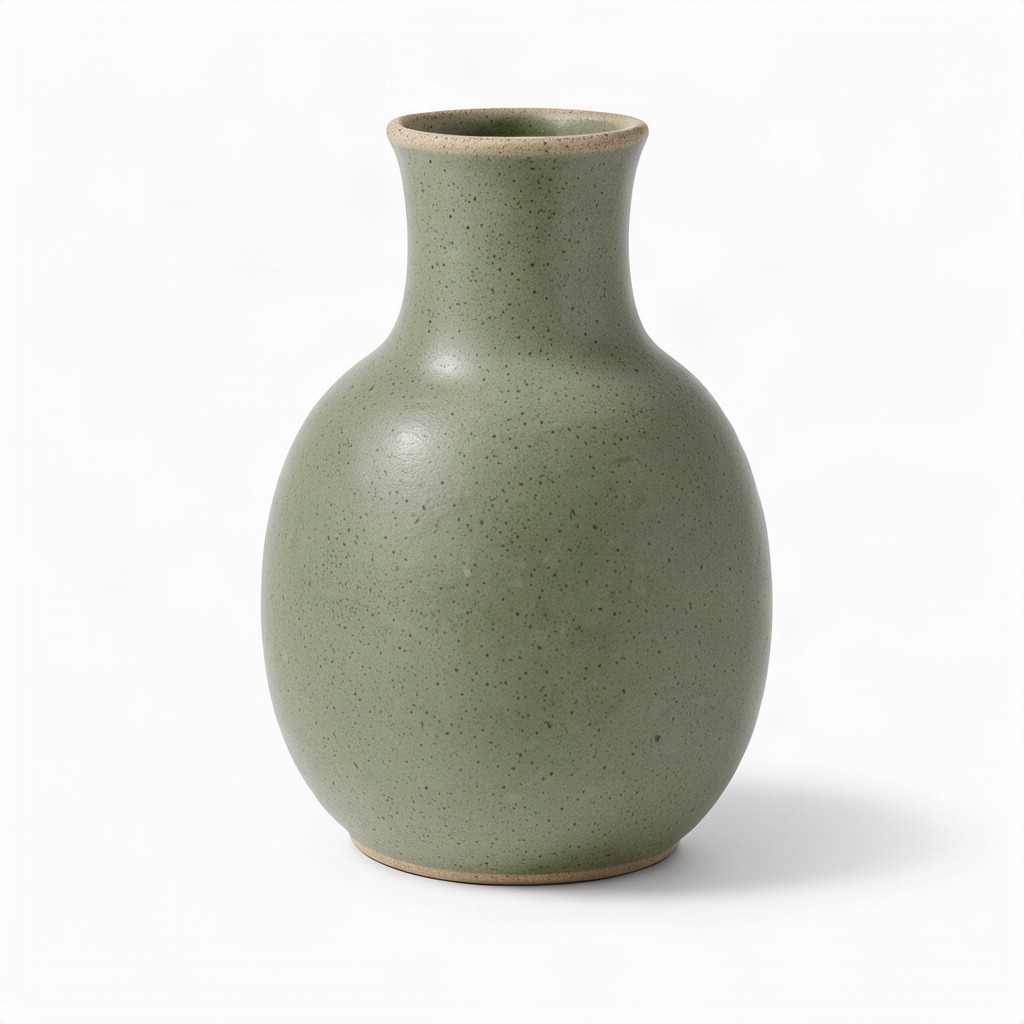
棚拍商品摄影

适合电商主图的创作方向:柔和棚拍光、清晰的陶瓷质感,以及围绕主体的干净留白。

从文字生成画面Flux 3 创作案例

Flux 3 创作案例

从干净的商品图到重新演绎的场景,六个案例呈现不同的创作方向,并保留原始提示词与参考图。

KIE 公开体验案例

棚拍商品摄影

文生图
棚拍商品摄影

适合电商主图的创作方向:柔和棚拍光、清晰的陶瓷质感,以及围绕主体的干净留白。

提示词 · 1:1 · 1K

A studio product photograph of a matte ceramic vase for an online store listing, centered and fully visible on a seamless pure white background. The vase has a rounded body that tapers into a slim neck, a soft sage-green glaze with a fine speckled texture, and a thin unglazed rim showing the pale clay underneath. Large softbox light from the upper left gives gentle highlights along the curve and reveals the matte surface, while a soft natural shadow falls beneath it. Clean e-commerce lighting, crisp focus from top to base, generous white space around the product. No text, logos, labels or other objects.
雨后咖啡馆胶片摄影

文生图
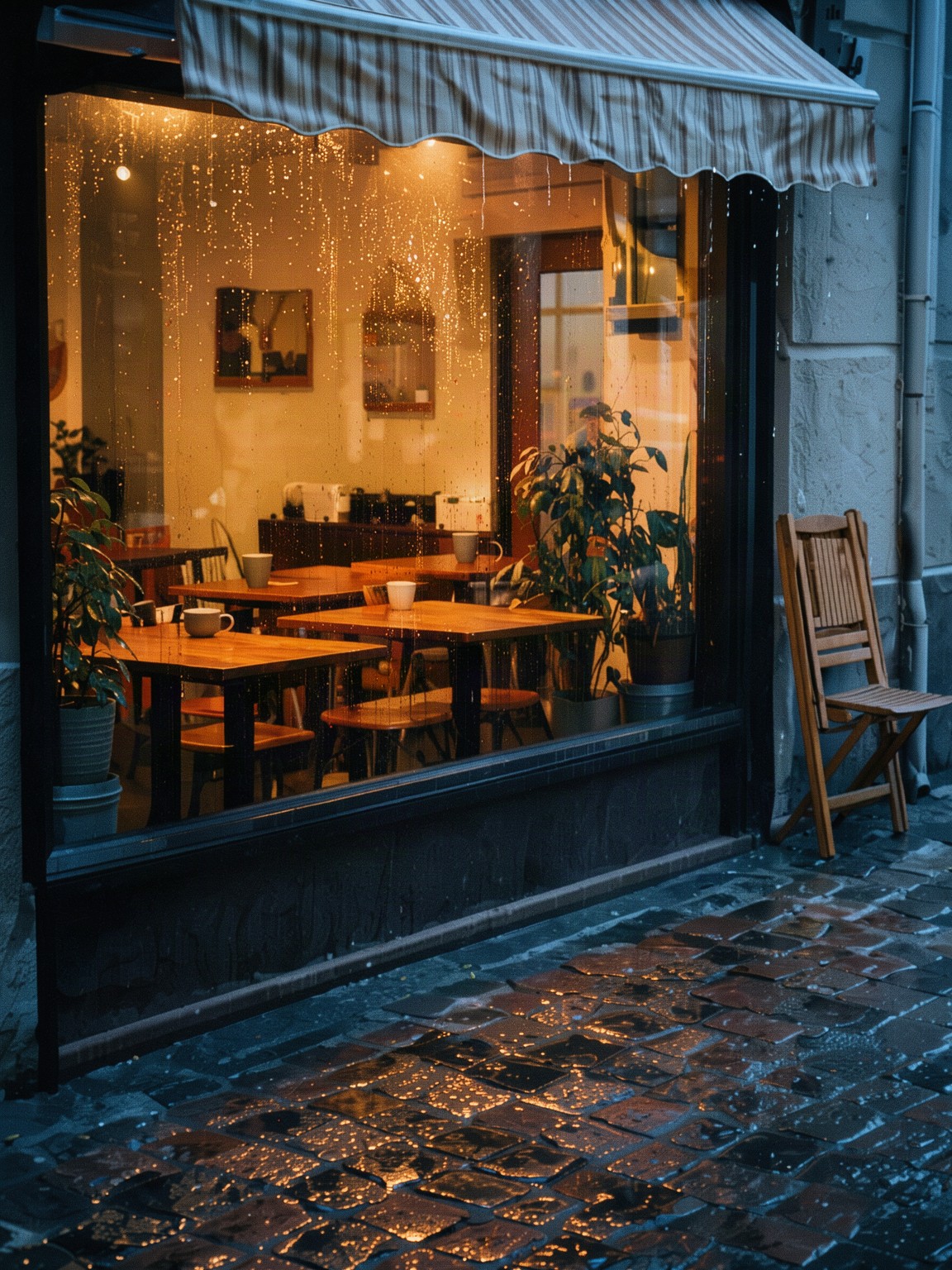
雨后咖啡馆胶片摄影

雨后倒影、温暖的橱窗光与胶片氛围,构成适合视觉叙事的竖版街景。

提示词 · 3:4 · 2K

A small corner cafe just after an evening rain shower, seen from across a quiet street. Warm light glows through the large front window, where empty wooden tables, a few ceramic cups and potted plants sit inside; raindrops still bead on the glass and the wet cobblestone pavement reflects the amber light and a pale blue dusk sky. A folded cafe chair leans against the wall beside a striped awning dripping water. Analog 35mm film photograph on warm color negative film, soft natural light, gentle film grain, slightly faded warm tones, muted greens, creamy highlights, honest documentary look, vertical frame. No people, no text, no signage, no lettering, no logos.

海边小镇插画

文生图
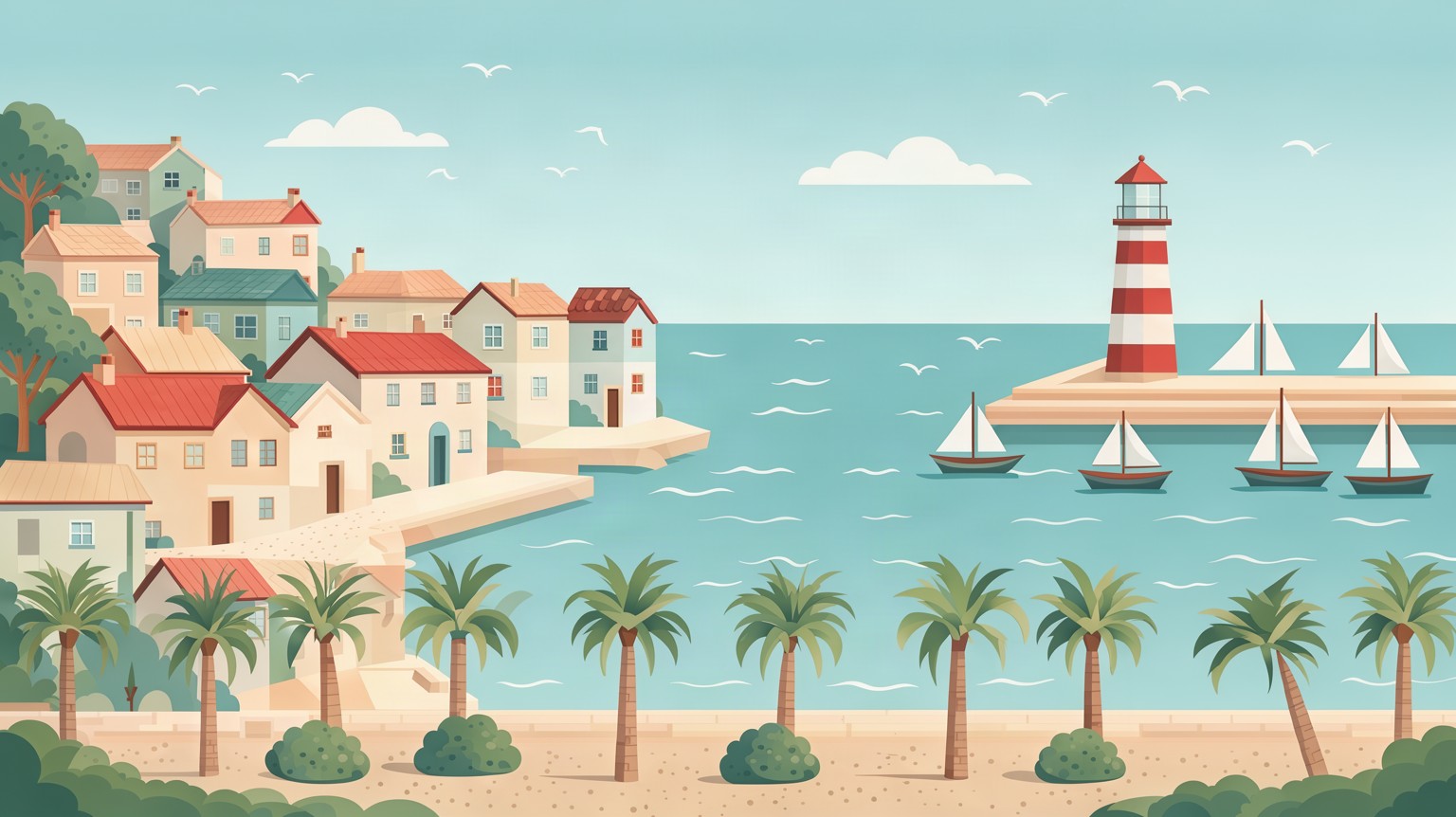
海边小镇插画

适合横幅、旅行概念与分镜的海滨插画。画面采用扁平插画风格,输出为 PNG,并非可编辑矢量文件。

提示词 · 16:9 · 2K

Flat vector illustration of a small seaside town on a sunny afternoon, wide 16:9 composition built from clean geometric shapes and layered parallax planes. Pastel houses with tiled roofs climb a gentle hill on the left, a harbor with small sailboats and a red-and-white lighthouse sits on the right, and a waterfront promenade with palm trees and round bushes runs along the bottom. Calm turquoise sea with simple wave lines, a few rounded clouds in a soft blue sky, seagulls as tiny flat shapes. Muted, harmonious palette of teal, coral, sand and cream, soft ambient shading, no outlines. No people, no text, no lettering, no logos.

商品与场景合成

图生图

输入图

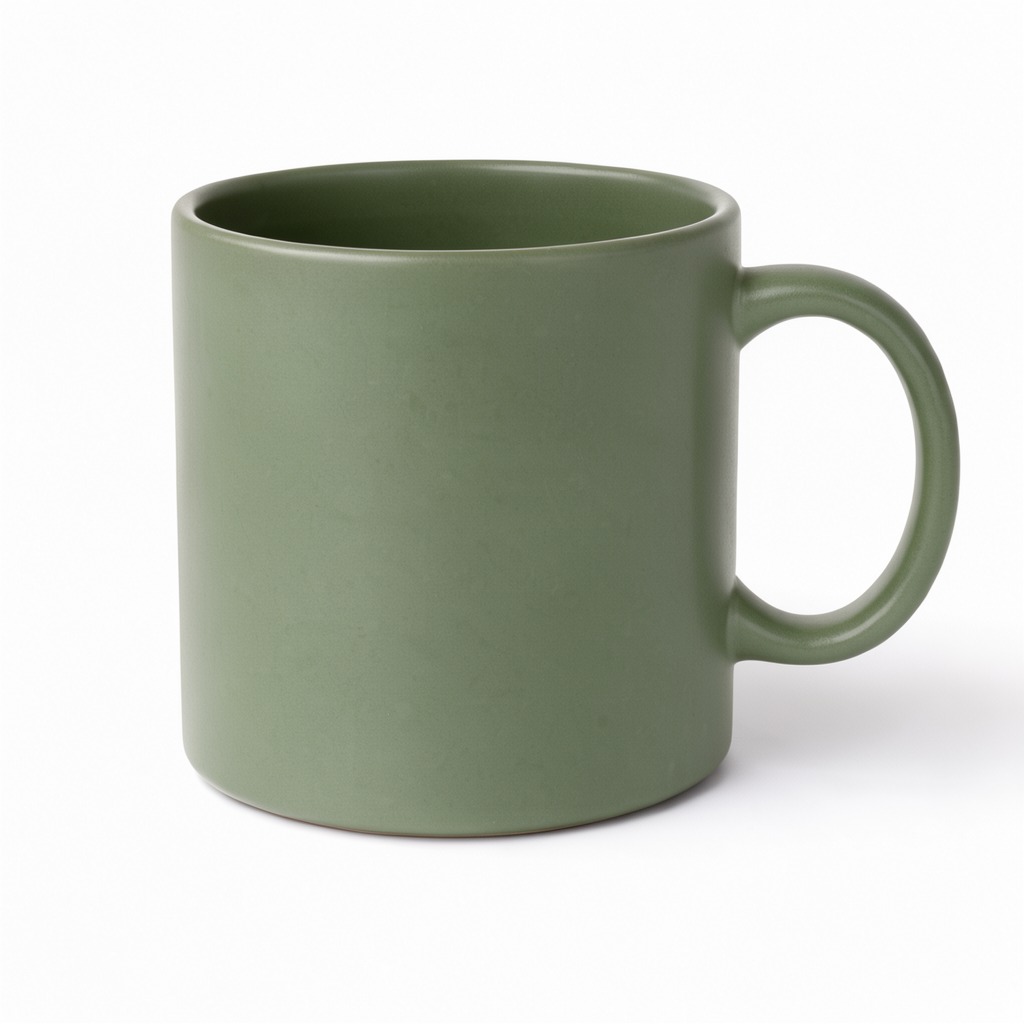
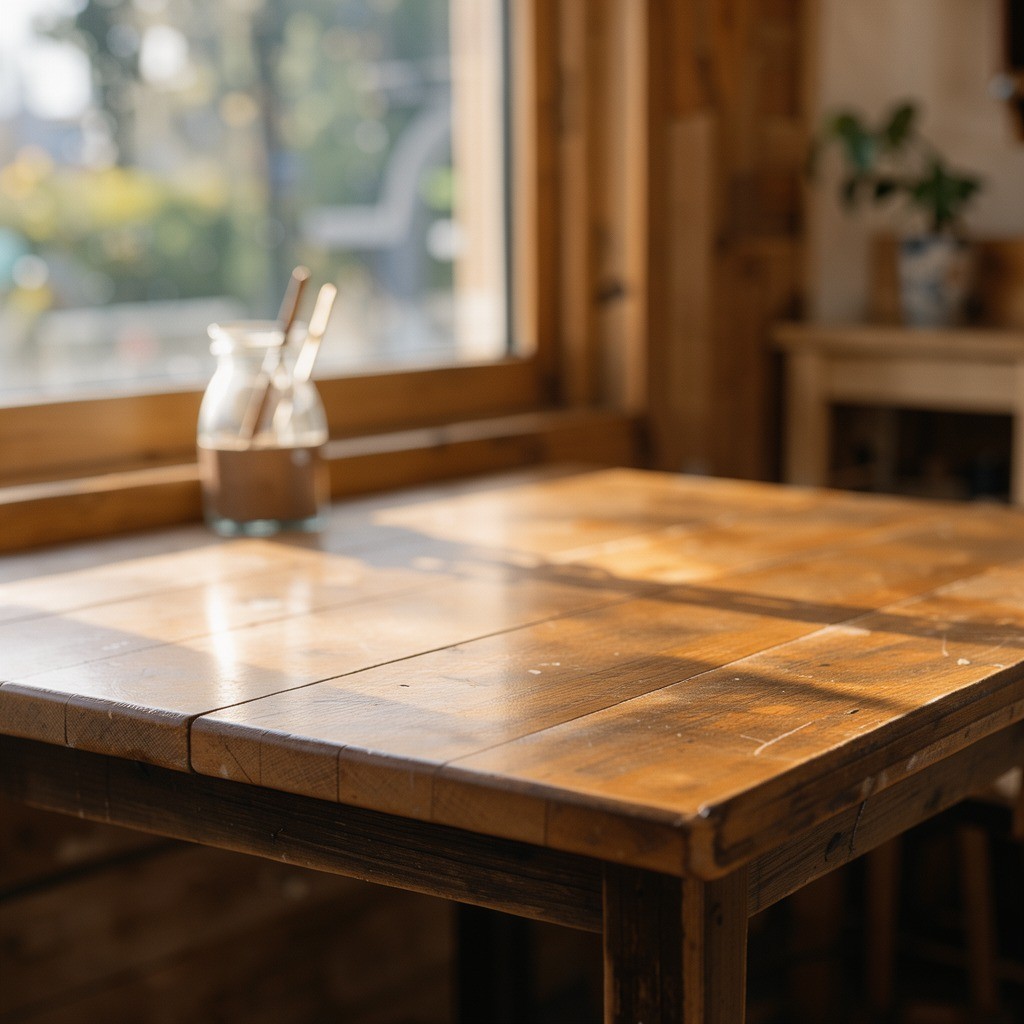
商品与场景合成 · 输入图 1商品与场景合成 · 输入图 2

输出图

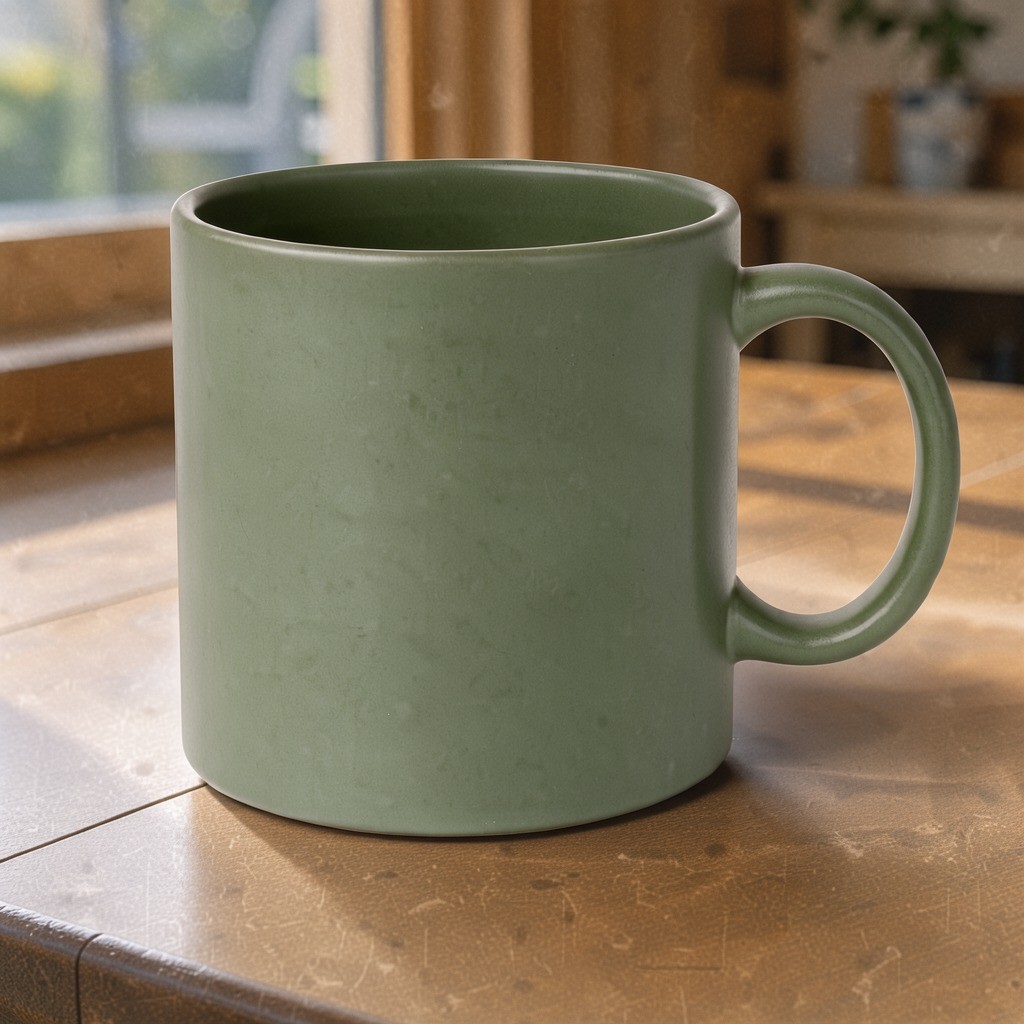
商品与场景合成

把商品与场景两张参考图组合起来,将杯子放到新的桌面上,并匹配晨光与柔和投影。

提示词 · 1:1 · 1K

Place the mug from the first image on the table from the second image, keep the mug's color and shape, match the morning light and add a soft shadow

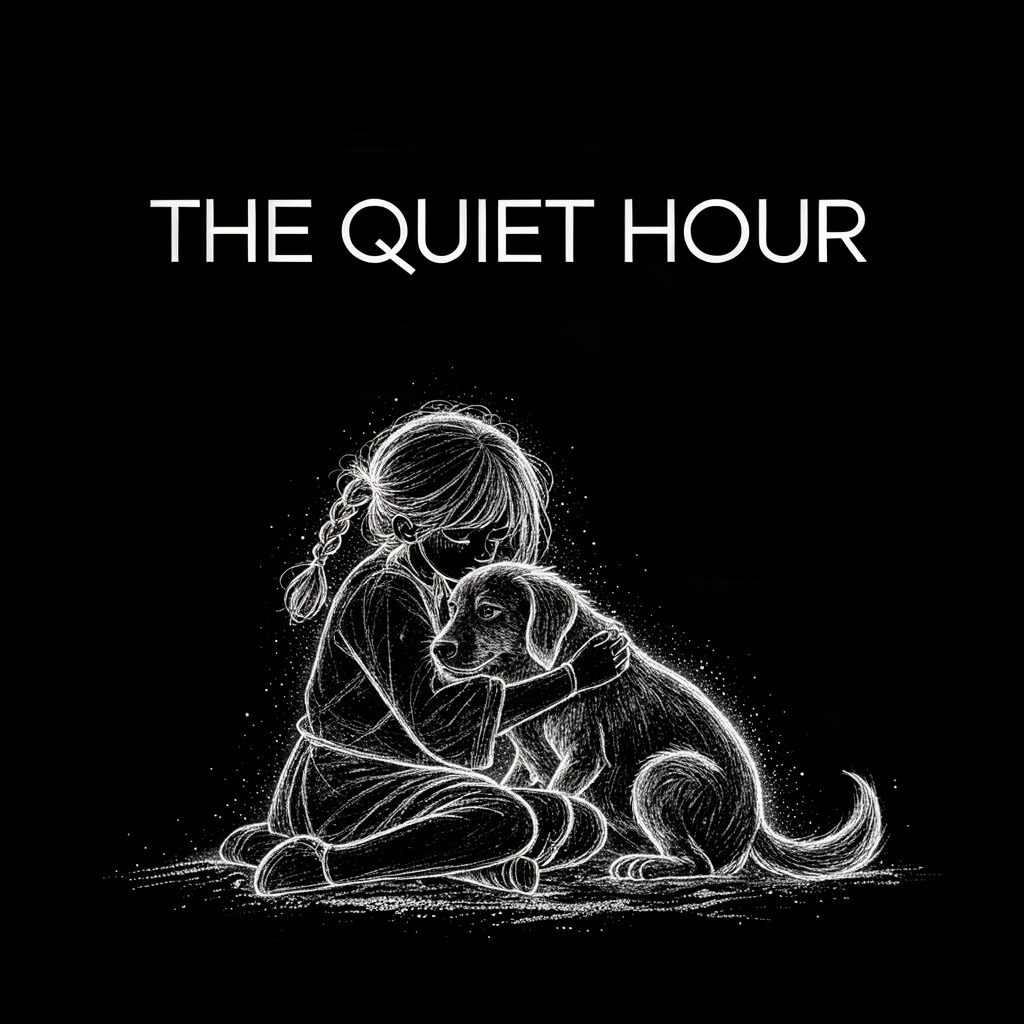
为插画添加标题

图生图

输入图

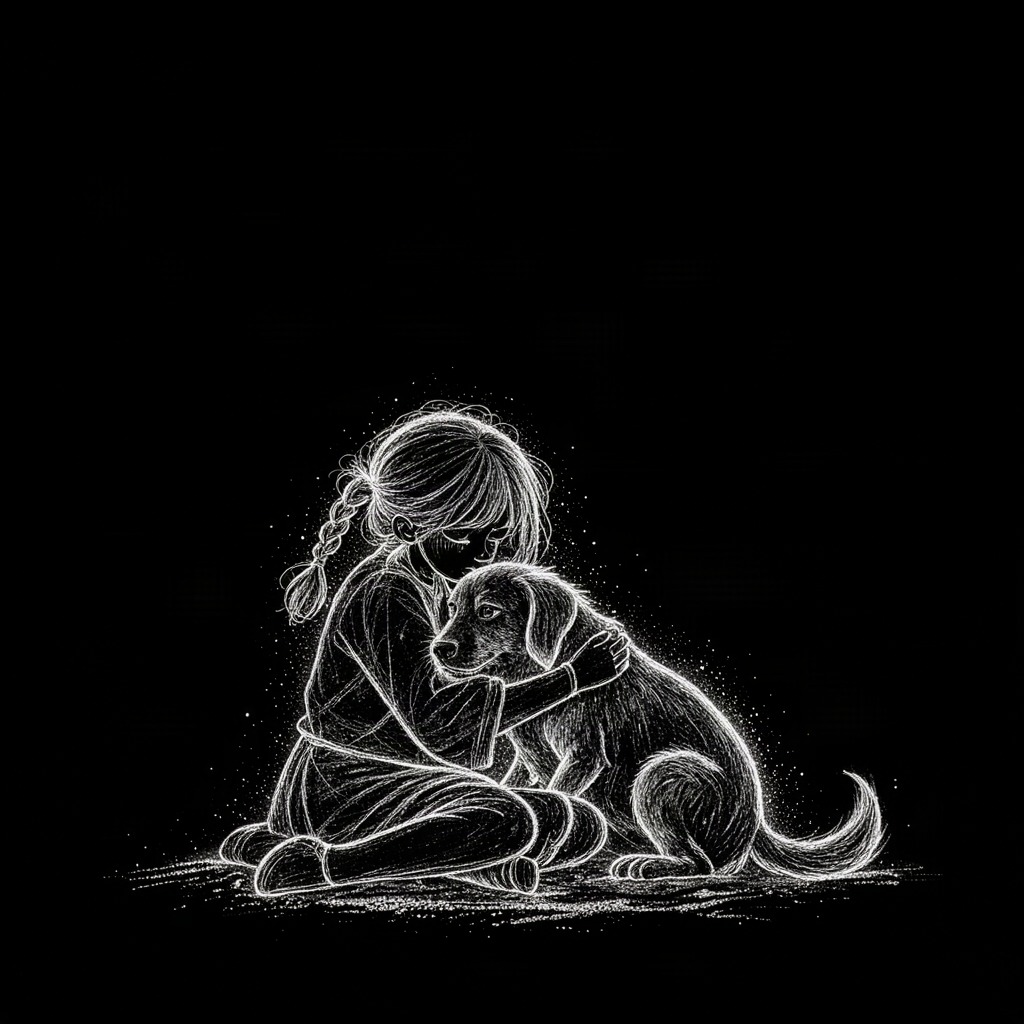
为插画添加标题 · 输入图 1

输出图

为插画添加标题

在已有画作上探索标题设计。案例提示词指定了标题内容,发布前仍需检查生成的文字。

提示词 · 1:1 · 1K

Add the title "THE QUIET HOUR" at the top in clean white sans-serif, keep the artwork unchanged

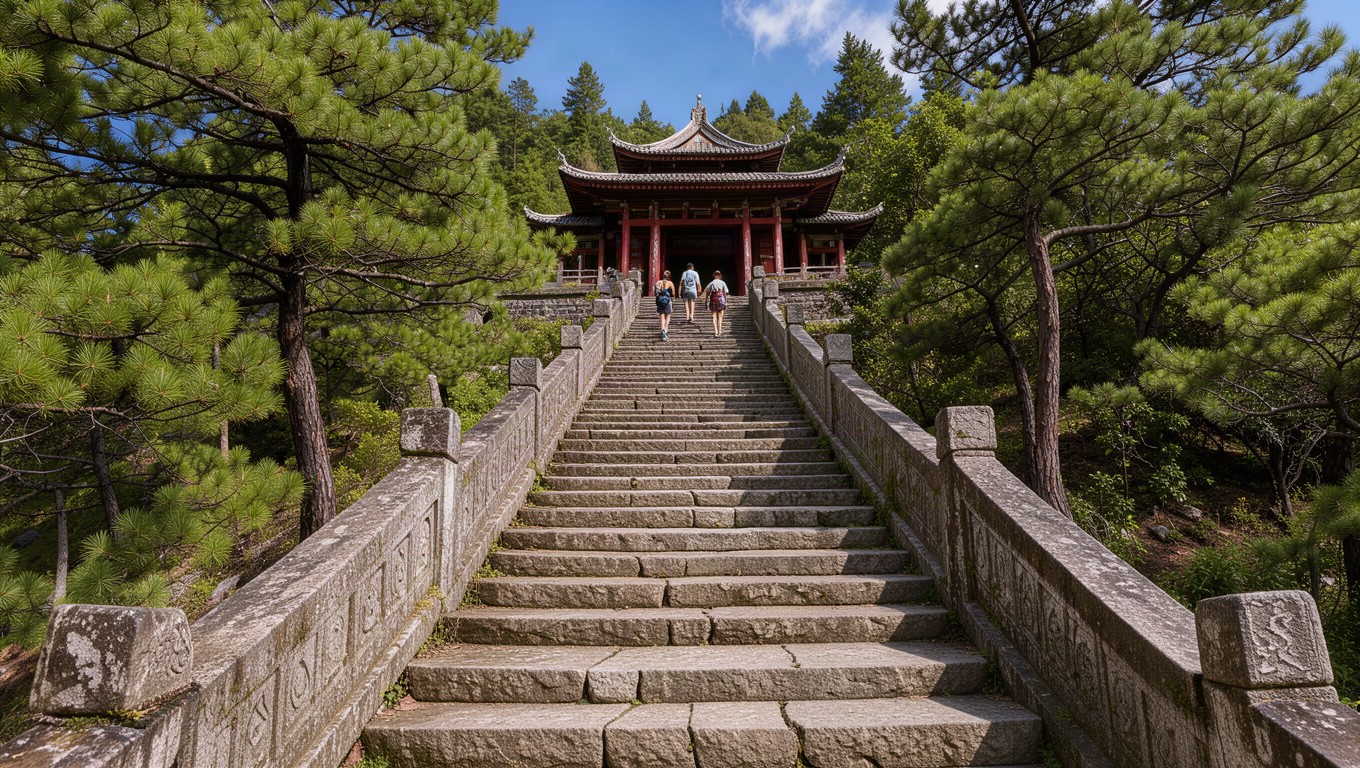
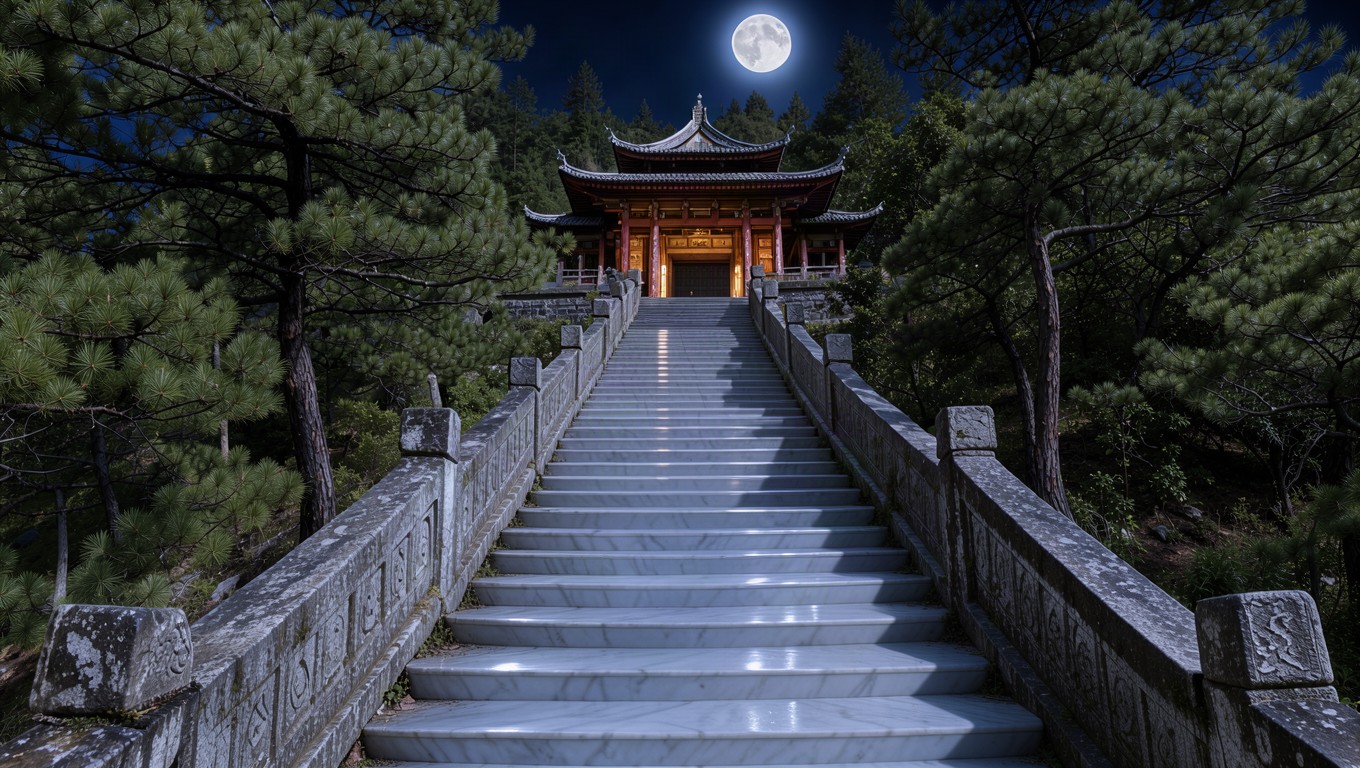
夜景重绘与光线调整

图生图

输入图

夜景重绘与光线调整 · 输入图 1

输出图

夜景重绘与光线调整

为同一场景探索新的美术方向:移除人物、将日光改为月光、调整石材,同时要求保留原有构图。

提示词 · 16:9 · 1K

Remove the people from the stairway, then relight the whole scene as a calm night lit only by a full moon: cool silver moonlight on the steps and roof tiles, soft blue shadows, warm lantern glow inside the pavilion, and turn the grey granite steps into smooth polished white marble. Keep the stairway, railings, pavilion, trees and camera angle unchanged.

一个工作区,两种创作方式

从文字生成新画面

创作商品摄影、编辑风格场景和原创插画,支持九种比例以及1K、2K、4K输出。

  • 商品概念图与简洁的棚拍画面
  • 编辑场景、活动视觉与氛围创意
  • 适配方形、竖版或横版的原创插画

结合最多10张参考图编辑

组合商品与环境、调整场景或添加文字。参考图顺序与编辑指令中的图片序号一致。

  • 将不同参考图中的商品与背景组合
  • 调整已有场景的光线、材质与氛围
  • 为已有画面添加标题或进行局部内容修改

Flux 3 常见问题

接入了哪些Flux 3模型?

文生图使用Flux 3 Klein Text to Image,图生图使用Flux 3 Klein Edit Image。

一次可以生成几张?

每次可生成1到4张,每张按所选分辨率计费。

生成失败后怎么办?

确认失败的任务退回对应积分。临时断网不会取消已提交任务,可以恢复查询或查看历史记录。

什么时候关闭提示词增强?

需要精确文字、固定构图或保留特定细节时,建议关闭,避免指令被重新改写。

套用案例会扣除积分吗?

不会。套用案例只会填入提示词、参数及对应参考图,不会自动开始生成。提交生成请求后才会扣除积分。

图生图支持哪些参考图片?

支持 1 至 10 张 JPG、PNG 或 WebP 图片,每张不超过 10MB。多张参考图可分别提供商品、背景或其他需要用于编辑的视觉细节。

编辑后能完全保留原图细节吗?

不一定。生成式编辑可能改变人脸、标志、文字或细小特征。可以在提示词中明确需要保留的内容,但仍需检查结果,不能保证像素级一致或文字完全准确。

生成完成的图片保存在哪里?

完成的图片会显示在结果区,并保存在账号的历史记录中。可下载单张 PNG,多图生成时也可下载全部可用结果。

把下一个创意变成画面

一张商品概念图、一幅编辑场景,或是已有图片的新方向。从自己的想法出发,也可以从案例继续创作。

开始用 Flux 3 创作